TikTok subtitle generator
On-screen captions are how most of TikTok actually watches you — sound off, thumb hovering. Viten transcribes your clip, times every word, and keeps the text clear of TikTok's own buttons. (Looking for the text that goes under your post? This page is about the words burned into the video itself.)
Free to start · no watermark on any export
How to do it
- 1
Import your clip
Straight from your camera roll, or filmed in the app.
- 2
Captions generate
Word-level timing, so the highlight lands on the beat rather than trailing it.
- 3
Check the safe zone
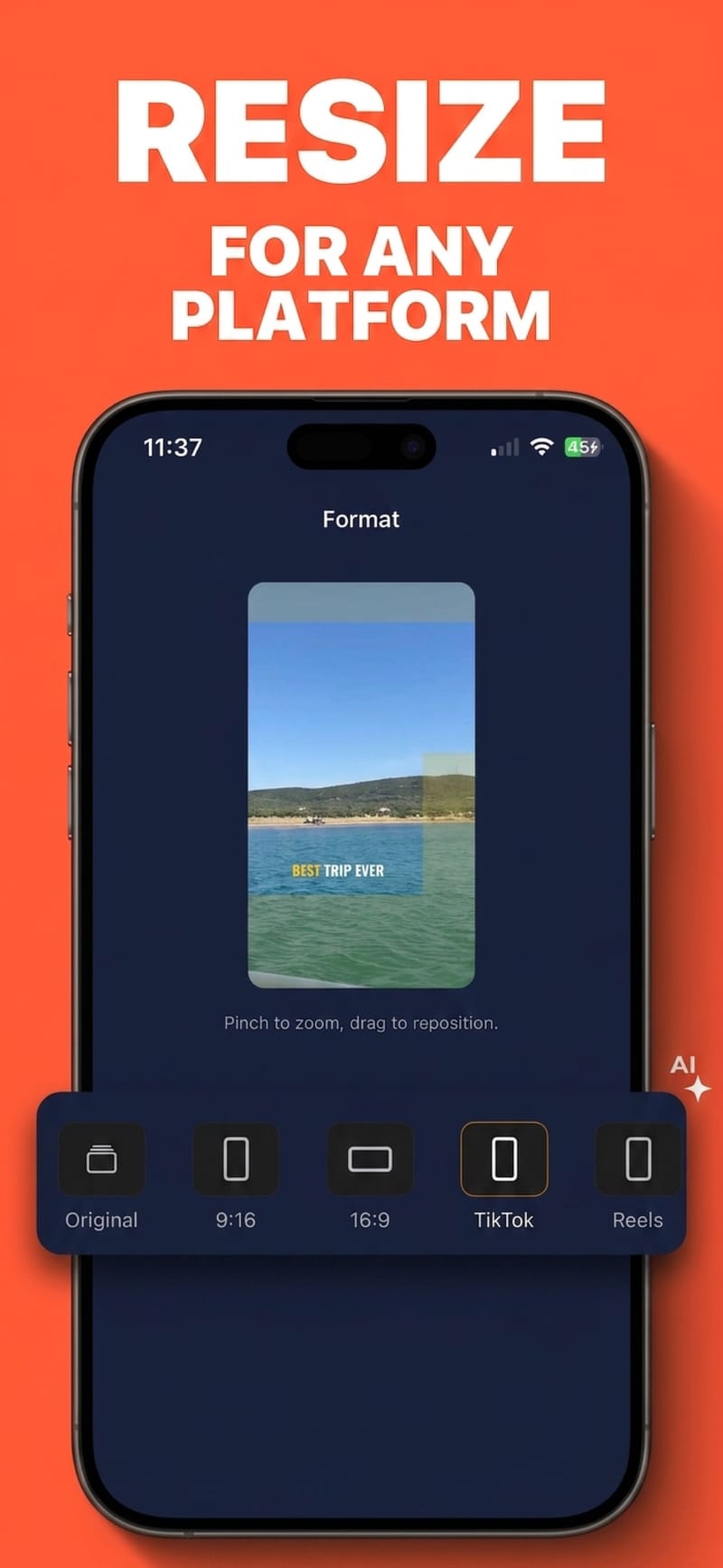
Switch on the TikTok guide, position the captions clear of the interface, and export.
TikTok's UI eats the bottom of your frame
The caption, username and CTA occupy roughly the bottom 23% of the screen, the action column sits over the right side, and there is a bar across the top. Viten overlays those regions while you position captions, so you find out before you post rather than after.
Built for 9:16 from the start
The format presets cover 9:16 alongside 1:1, 4:5 and 16:9, so a clip shot horizontally can be reframed to vertical with the captions repositioned to match.
Styles that suit the platform
20 bundled fonts including heavy display faces, with per-word highlight colours, outlines and shadows — the look that reads at arm's length on a phone in daylight.
No watermark, at any tier
Nothing Viten exports is branded. Free exports are 720p and supported by a short ad, and even those come out clean.
Questions
Why not just use TikTok's own captions?
TikTok's built-in captions work, but the styling options are limited and they are applied inside TikTok, so the same file cannot be reposted elsewhere with the captions intact. Burning them in first gives you one video that carries its captions to Reels, Shorts and anywhere else.
Where should captions sit on a TikTok video?
Roughly the middle third, above the caption text and CTA at the bottom and clear of the action column on the right. The safe-zone overlay marks these areas so you can see the usable region rather than guessing.
Is it free?
Free covers 5 captioned videos a month at up to 60 seconds each, and 5 exports a month at 720p. Pro removes the monthly limits and unlocks 1080p and 4K.
Can I use this for Reels and Shorts too?
Yes — the same vertical export works everywhere, and there are separate safe-zone presets for Reels, Shorts and Stories, since each platform covers slightly different parts of the frame.
Does it caption languages other than English?
Yes. Auto-captions cover 99 languages with automatic detection, and the captions come out in the language spoken.
Try it on your next video
Free to start, and nothing you export carries a watermark.