AI voiceover
Narrate your video without recording your voice
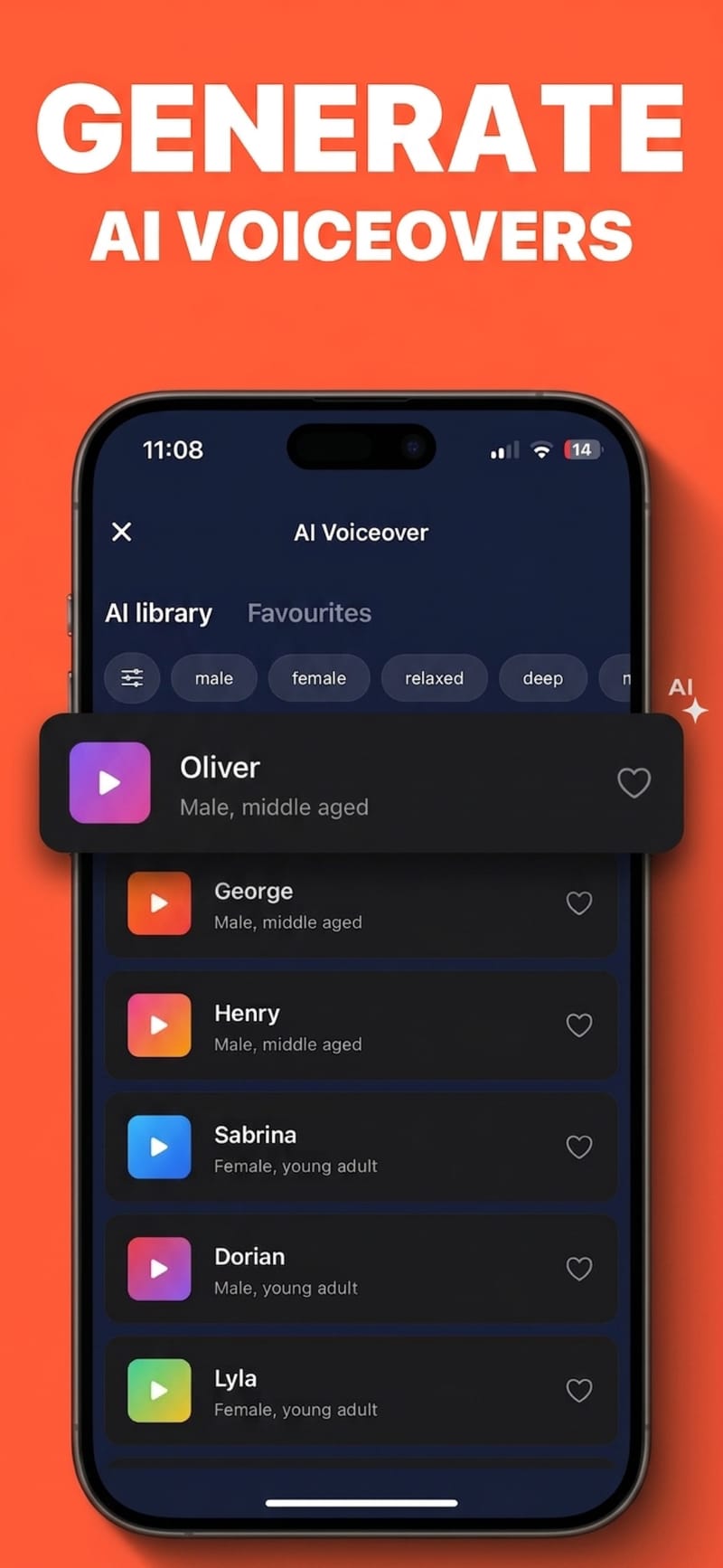
Write or paste a script, choose from 17 voices, and get a clean read you can place directly on the timeline. Useful for faceless channels, for tightening a rambling take, or for the days your throat is not cooperating.
How it works
- 1
Write the script
Type it, paste it, or start from the transcript of a clip you already recorded.
- 2
Pick a voice and a mood
17 voices across a range of ages and tones, each with emotional styles you can dial in per take.
- 3
Drop it on the timeline
The generated audio becomes a clip you can trim, move and mix against the original sound.
Preview before you commit
Every voice has a sample you can play in the library, so you pick by ear instead of by name and regenerate less.
Delivery you can direct
The same script can be read calm, upbeat or serious. Matching the read to the cut matters more than the raw voice quality does.
Reads 35 languages
Pick the script language, or let it detect one, and the voice reads it natively — English, Spanish, Arabic, Japanese and more. After the voiceover, captions can be generated for the result in the same language.
Pairs with auto-captions
Generate the voiceover, then caption it — the captions follow the generated audio exactly, because the timing comes from the same pipeline.
Questions
Do the voices sound robotic?
They are generated by a current text-to-speech model with controllable emotional delivery, so they read closer to a voice actor than to a screen reader. Play the samples in the app and judge for yourself before generating.
Can I clone my own voice?
No. Viten offers a fixed library of licensed voices and does not do voice cloning.
Is AI voiceover free?
AI voiceover is a Pro feature, with a daily generation allowance. Auto-captions, styling, the teleprompter and 720p export are available on the free tier.
Can I mix the voiceover with the original audio?
Yes. The voiceover lands as its own clip with its own volume, so you can duck the original sound underneath it rather than replacing it.
Try it on your next video
Free to start, and no watermark on any export.